Pixel art studio.
In your pocket.
Draw, animate, rig, and export sprites — all from your iPad or iPhone. Layers, onion skin, bone rigging, and Aseprite support built in.
Why Spritelove?
"I just want to draw pixel art on my iPad without a desktop app"
"Why can't I rig sprites on mobile?"
"Exporting a GIF shouldn't take 12 steps"
"I need layers, onion skin, AND it needs to feel native"
A real studio.
Built for touch.
Spritelove is a sprite pixel art editor designed from the ground up for iOS. No compromises, no web wrappers — just fast, native tooling for drawing, animating, and exporting pixel art on iPad and iPhone.
Canvas
13 tools. Every brush. Pure pixel control.
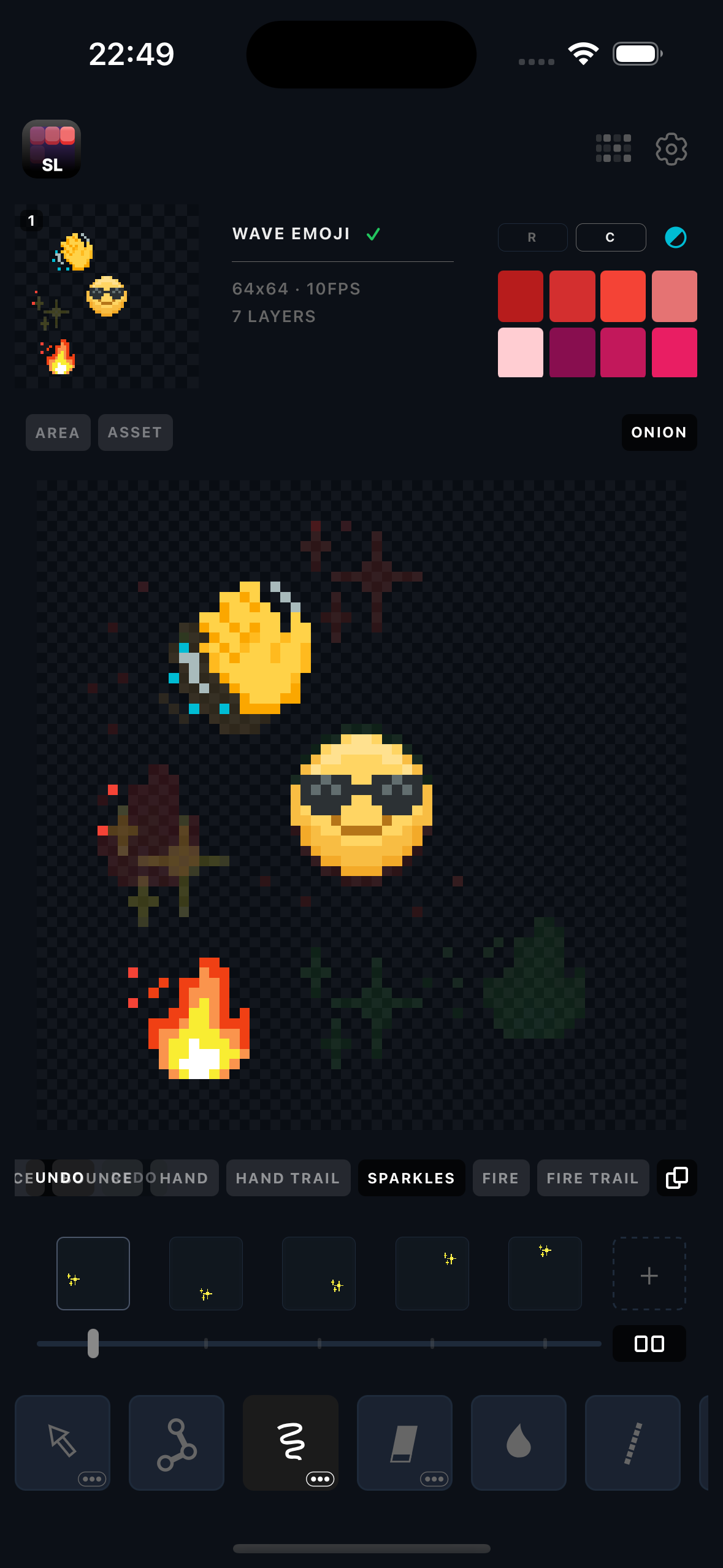
Pen, eraser, fill, line, shapes, move, rotate, mirror — with 1px and 3x3 brushes. Zoom from 0.5x to 30x and pan freely. Mirror painting on X, Y, or both for instant symmetry.
Layers & Animation
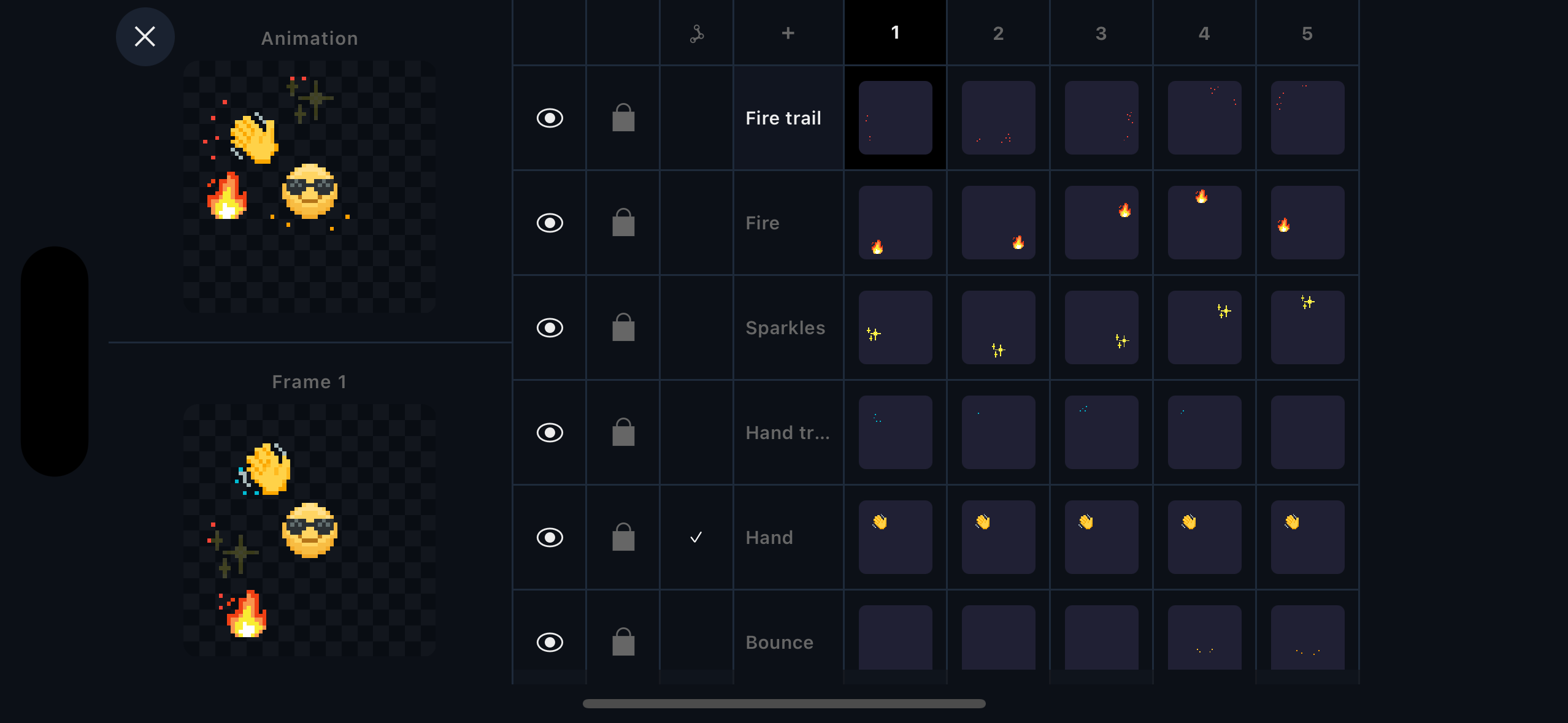
Multi-layer timeline with thumbnail preview
Add unlimited layers with visibility, lock, opacity, and drag-to-reorder. Manage frames with clone, clear, copy, paste, center, and fill-forward. Onion skin shows previous and next frames with tint and alpha control.
Colors
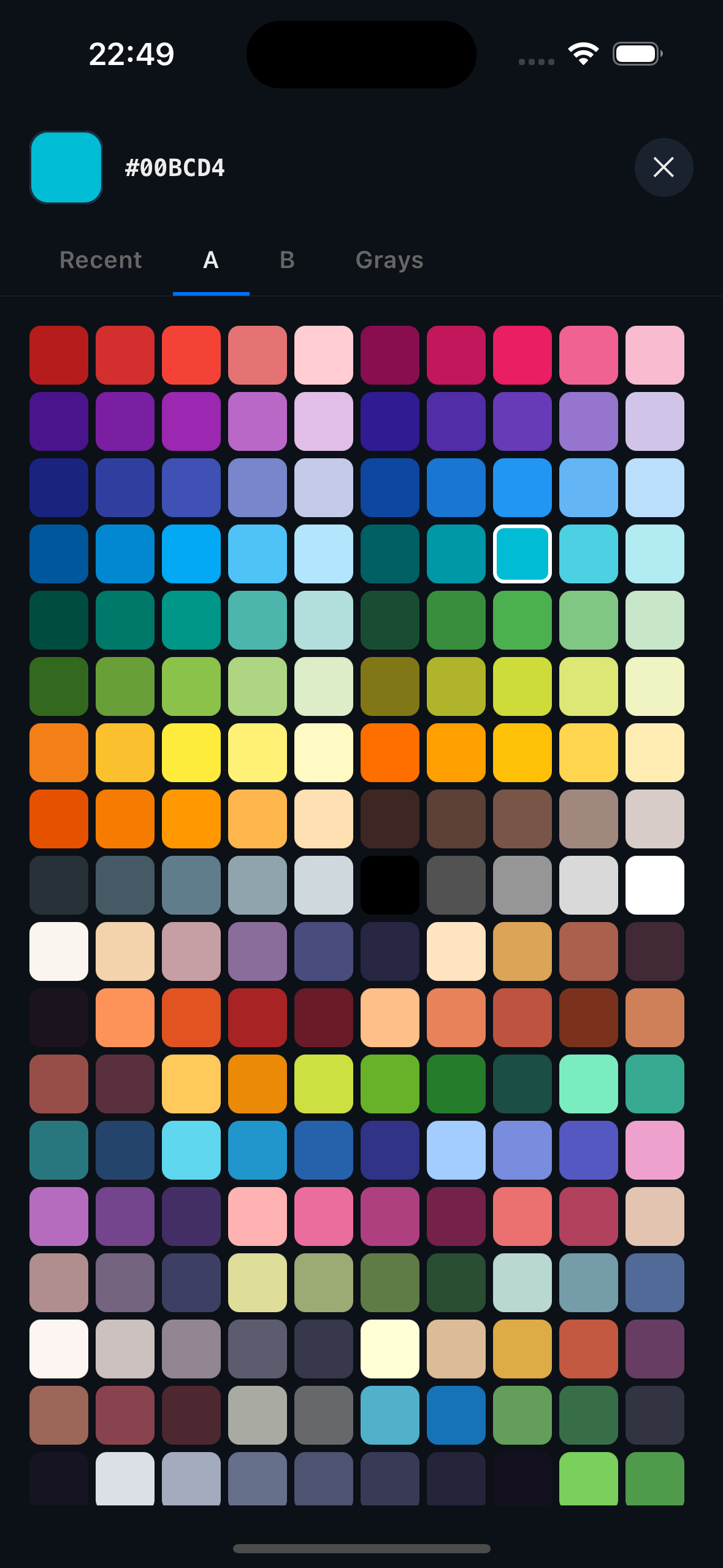
Three palettes. Hundreds of colors.
Switch between Palette A, B, C, and a grays palette. Pick any color with the eyedropper, track your recent history, and paint with transparent. Every color is just a tap away.
Power User
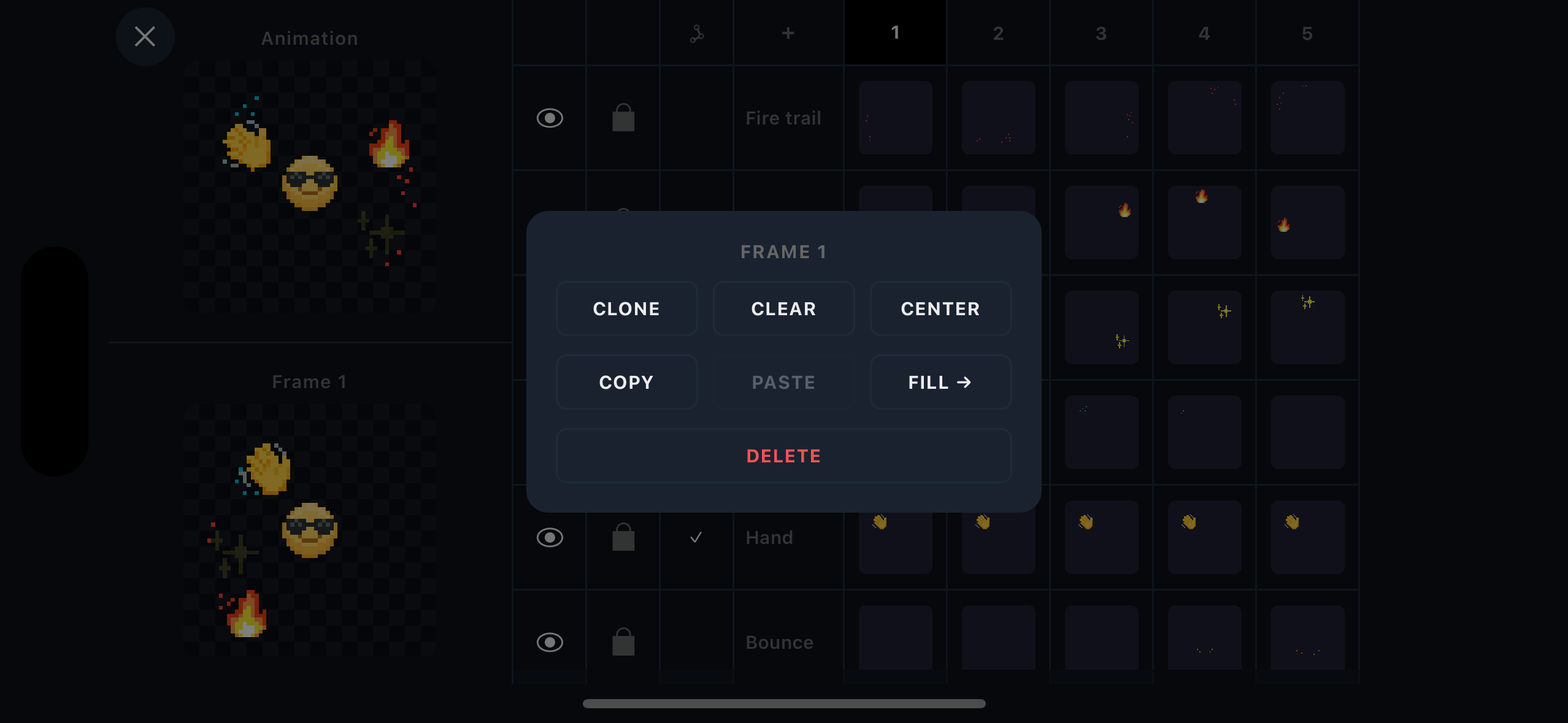
Context menus for everything
Long-press any frame or layer for instant actions: clone, clear, center, copy, paste, fill forward, rename, set opacity, reorder, or delete. The timeline is a full production workspace.
Export
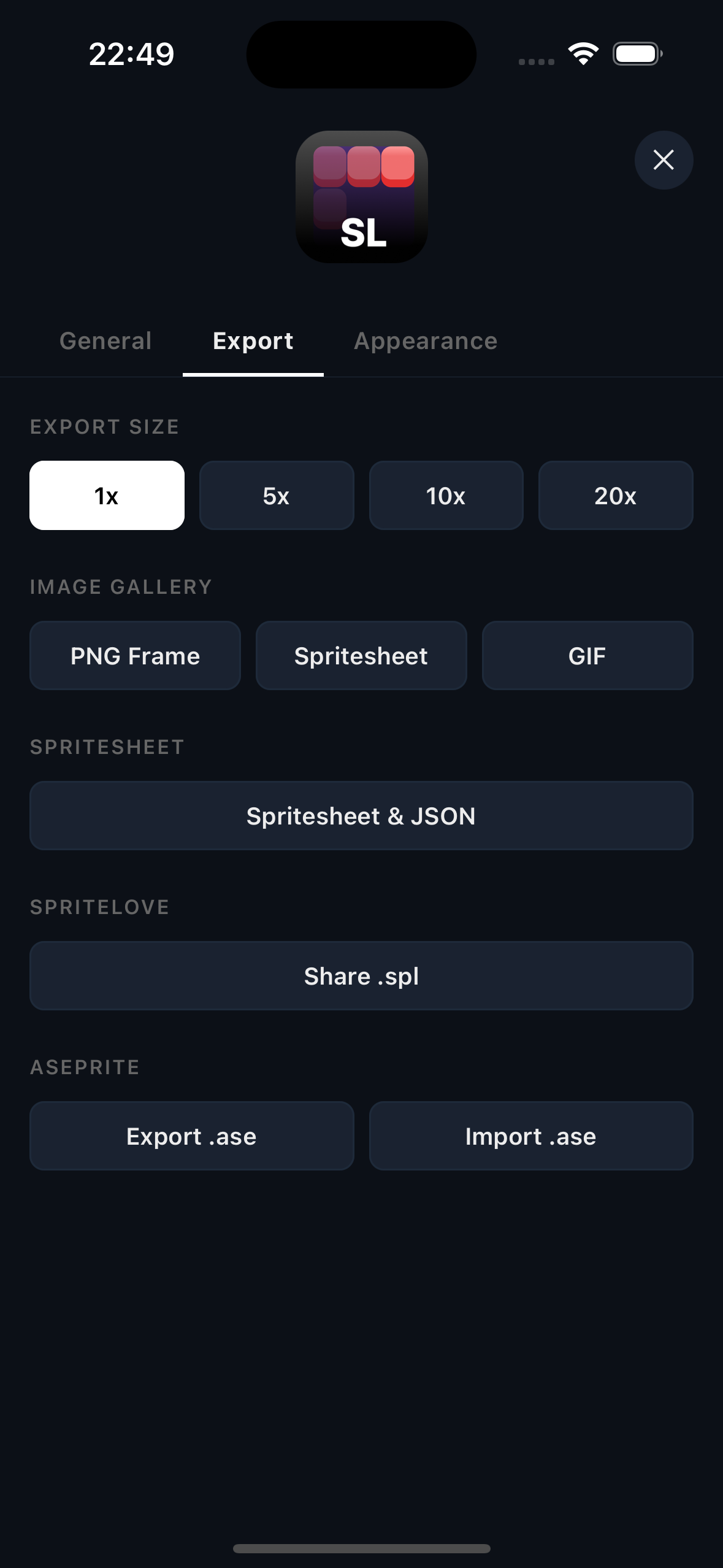
PNG. Spritesheet. GIF. Aseprite.
Export single frames or full spritesheets as PNG at 1x, 5x, 10x, or 20x. Generate animated GIFs. Bundle spritesheets with JSON metadata. Export and import .ase files for Aseprite compatibility. Share native .spl project files.
Landscape
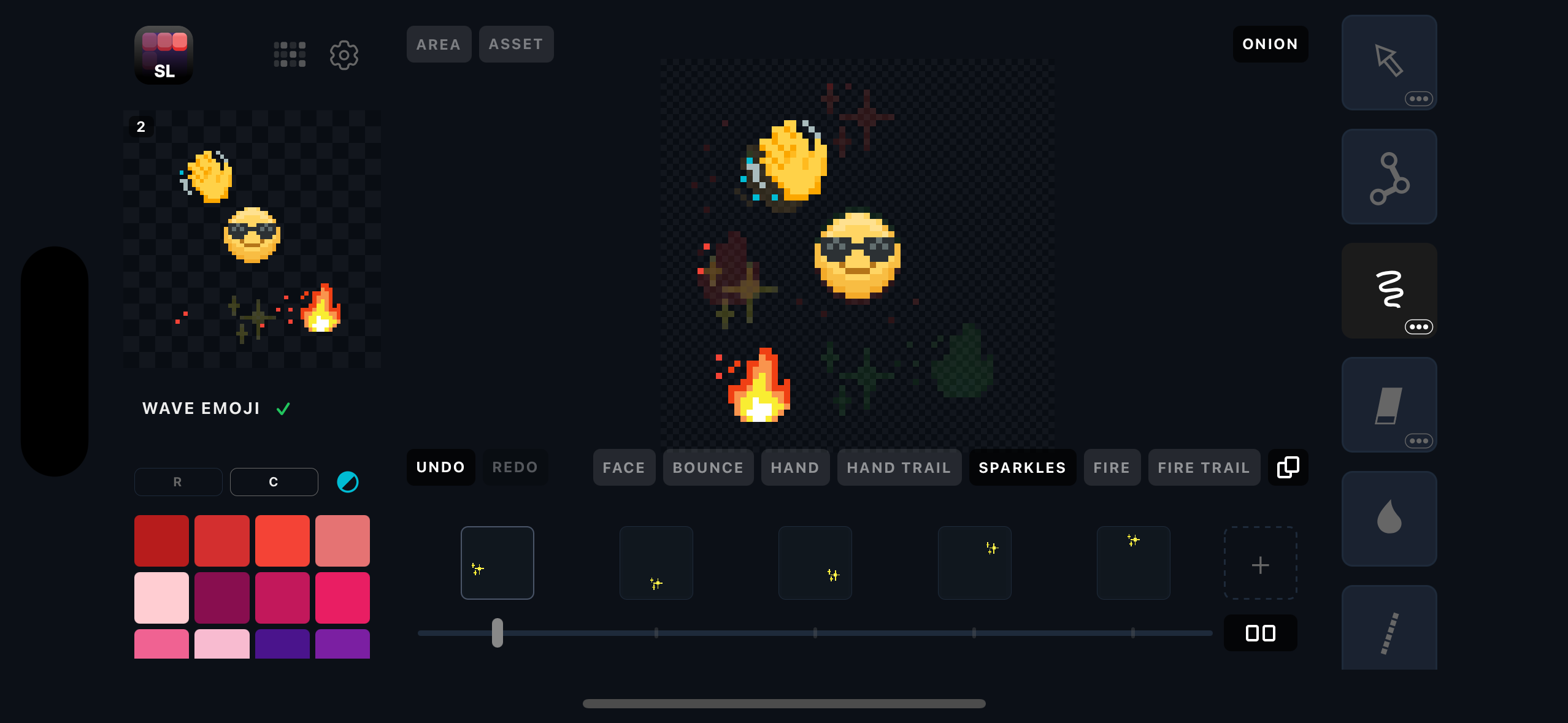
Full-screen editing in landscape mode
Rotate your device for a wider canvas, expanded layer tabs, and a horizontal timeline. The entire UI adapts to give you maximum drawing space.
Toolbar
13 tools. Zero compromise.
Every tool you need to create pixel art, all optimized for touch. Long-press tools with dots for brush options.
And so much more
Built for pixel artists
Bone Rigging
Attach bones to layers for skeletal animation. Unique to mobile pixel art apps.
Onion Skin
See previous and next frames as ghost overlays. Toggle tint, alpha, and extended mode.
Mirror Painting
Toggle X and Y axis mirroring independently. Works with every tool.
Asset Stamps
Bundled pixel emoji stamps to quickly place and compose scenes.
Auto-Save
Your work is saved automatically. Pick up right where you left off.
Area / Crop
Define a rectangular area to crop your export. Drag guide lines to refine.
Pricing
$10. Yours forever.
No subscriptions. No ads. No in-app upsells.
One purchase, every feature, every future update.
Free Trial
- Full drawing toolset
- Up to 3 layers
- Up to 6 frames
- Up to 32×32 canvas
- PNG & GIF export (2 GIFs)
- Save 2 projects
Full Studio
- Unlimited layers & frames
- Unlimited canvas size
- Bone rigging system
- Unlimited GIF export
- Spritesheet & JSON export
- Aseprite import & export
- Unlimited projects
- All future updates included
FAQ
Frequently asked questions
What is Spritelove?
Spritelove is a pixel art editor and sprite animation studio built from the ground up for iOS. It runs natively on iPad and iPhone with 13 drawing tools, unlimited layers, animation frames with onion skinning, a built-in bone rigging system for skeletal animation, and multi-format export including PNG, GIF, spritesheets with JSON metadata, and Aseprite (.ase) files. Unlike web wrappers or desktop ports, Spritelove is designed for touch input with context menus, gesture controls, and full landscape support.
Is Spritelove free?
Spritelove offers a free trial that includes the full drawing toolset with up to 3 layers, 6 animation frames, a 32×32 canvas, PNG export, 2 free GIF exports, and 2 projects. The Full Studio unlock is a one-time purchase of $9.99 that gives you unlimited layers, frames, canvas sizes, bone rigging, unlimited GIF export, spritesheet with JSON metadata, Aseprite import and export, unlimited projects, and all future updates. There are no subscriptions, no ads, and no in-app upsells.
Does Spritelove support Aseprite files?
Yes. Spritelove can both import and export Aseprite (.aseprite/.ase) files, making it easy to move projects between Spritelove on your iPad or iPhone and Aseprite on your desktop. This includes full support for layers, frames, and palette data. Spritelove is one of the few mobile pixel art editors with native Aseprite compatibility.
What makes Spritelove different from other pixel art apps?
Spritelove is the only mobile pixel art editor with a built-in bone rigging system for skeletal character animation. It also offers 13 purpose-built drawing tools, onion skinning with tint and alpha control, mirror painting on both X and Y axes, three color palettes, and professional export options including spritesheets with JSON metadata. Unlike Procreate, Spritelove is purpose-built for pixel art with pixel-specific tools. Unlike Aseprite, it runs natively on iOS with touch-optimized controls. Unlike web-based tools like Piskel, it works offline with hardware-accelerated rendering.
What export formats does Spritelove support?
Spritelove supports exporting your pixel art in multiple formats: individual frames as PNG at 1x, 5x, 10x, or 20x scale, animated GIFs, full spritesheets as PNG with JSON metadata for game engines, Aseprite (.ase) files for desktop editing, and native .spl project files for sharing between devices. The free trial includes PNG export and 2 GIF exports. Spritesheet, Aseprite, and .spl export require the Full Studio unlock.
What is bone rigging in pixel art?
Bone rigging is a skeletal animation technique where you attach a hierarchy of bones to different layers of your sprite. Instead of redrawing every frame by hand, you pose the bones and Spritelove interpolates the movement. This is especially useful for character animation in games, where you need smooth movement cycles like walking, jumping, or attacking. Spritelove is the only mobile pixel art app that includes a built-in bone rigging system.
Can I use Spritelove for game development?
Absolutely. Spritelove is designed with game developers in mind. You can export spritesheets with JSON metadata that plug directly into popular game engines. The bone rigging system lets you create smooth character animations efficiently, and the multi-layer timeline gives you full control over complex sprite compositions. Many indie game developers use Spritelove to create and iterate on pixel art assets directly on their iPad.
Start creating pixel art today.
Available now on iOS. Unlock everything for $9.99 — once.